Universal TV Remote Control
- 3.9
- Rating
- 100.00M
- Installs
- Free
- Price
 Analysis by App-foxy
Universal TV Remote Control is the kind of app I reach for when the physical remote has disappeared under a sofa cushion, stopped responding, or simply is not nearby. Developed by CodeMatics Media Solutions, it turns a compatible phone into a remote for smart televisions and infrared-controlled TVs. I tested it with the mindset most people will have: not as a permanent replacement for every remote in the house, but as a practical backup that should make an annoying moment shorter.
The appeal is immediate. Instead of searching through drawers for the correct handset, I can use the phone already in my hand. That makes it especially useful in shared homes, guest rooms, rented apartments, and situations where several remotes look almost identical. It is a free House & Home app, available for Everyone, with optional in-app purchases ranging from $1.49 to $27.99 per item. The important question, though, is not just whether the idea sounds convenient. It is whether the app connects reliably, gives me enough control, and makes its choices clear when it asks for access or presents paid options.
How the remote works in real household situations
The first distinction to understand is between infrared televisions and smart televisions. A phone with an infrared emitter can communicate directly with many traditional TV sets, while a smart-TV setup generally depends on the phone and television being able to communicate through the same home network or through the method supported by the particular TV. That difference explains why one person may find the app instantly useful while another sees a setup screen that requires more patience.
You May Also Like

 AccuWeather: Weather Radar
AccuWeather Review: A Quick, Clear Forecast for Everyday Decisions
For everyday plans, the best forecast is the one you can understand quickly. AccuWeather makes rain timing, radar, and local conditions easy to act on, with a few trade-offs.

 Hill Climb Racing
Why Hill Climb Racing Still Turns Crashes Into One More Run
A tiny car, a bumpy hill and one more upgrade: Hill Climb Racing keeps resurfacing because its simple chaos makes every near-miss feel personal.

 AliExpress - Shopping App
AliExpress Makes Global Shopping Feel Personal, but Shoppers Bear the Risk
AliExpress turns a global marketplace into a pocket-sized discovery engine. Its reach is useful, its shopping loop compelling, and its trade-offs easy to miss.

 Lords Mobile: Kingdom Wars
Lords Mobile Is a Kingdom-Building Routine, Not a Quick Match
A case-by-case verdict on the building, battles, device demands, and social commitments that make Lords Mobile rewarding for some players and exhausting for others.

 PDF Scanner app - TapScanner
TapScanner Makes Paperwork Easier to Capture, Check, and Share
TapScanner makes scanning with a phone feel less like a rescue operation and more like a dependable step in getting work done. Its capture tools are useful, though not flawless.

 Block Blast!
Block Blast! Shows How Much a Puzzle Game Can Leave Out
A quiet grid game shows why puzzle players increasingly value instant clarity, repeatable skill and low-pressure play—and where the genre still needs to catch up.
More From Our News Desk
View All News


I would start by identifying the television before doing anything else. Check the brand name on the front, the back, or the original remote, then keep the TV switched on during setup. If the app offers several matching remote layouts, test simple actions first: power, volume, channel movement, and input selection. There is no benefit in spending time customizing a layout before confirming that the basic commands reach the set.
In an everyday scenario, imagine arriving home with groceries while the television is playing loudly. The physical remote is somewhere in another room, and you want to lower the volume without putting everything down. If the phone and TV are already compatible, opening the app and using the volume controls is faster than searching. That is the strongest case for this product: it solves a small but very real household interruption.
It is also useful when a remote has worn-out buttons rather than being completely lost. A failing volume rocker can make a television frustrating to use, while a phone screen gives you a visible control surface. The trade-off is that a touchscreen does not provide the same tactile feedback. I can operate a physical remote without looking down; with the app, I usually need to glance at the phone, especially when choosing input sources or navigating a smart-TV menu.
The app is not a universal guarantee in the literal sense. Compatibility depends on the television, the phone, the connection method, and, for infrared use, the hardware inside the phone. That is why I would treat the word “universal” as a description of its intended range rather than a promise that every handset and television combination will work. If your phone has no infrared hardware and your television is not reachable through a supported smart-TV connection, no remote application can overcome that physical limitation.
Setup habits that prevent the most common frustration
I recommend keeping the phone and television on the same home network when using a smart-TV connection. If the TV is connected to one network and the phone is using mobile data or a separate guest network, discovery may fail even though both devices are online. Switching the phone to the regular household Wi-Fi is a simple check that can save a lot of unnecessary troubleshooting.
For infrared control, aim the top edge of the phone toward the television in the same way you would aim the original remote. Infrared is line-of-sight technology, so placing the phone behind a cushion or pointing it toward a wall can make a working setup appear broken. This is a small detail, but it is one of the most useful differences between diagnosing an infrared problem and diagnosing a smart-TV connection problem.
Another practical tip is to test the input button early. Power and volume may respond while source switching behaves differently, and input control is often the feature people need when moving between a streaming box, a game console, and broadcast television. If the input command is unreliable, I would keep the original remote nearby rather than assuming the whole app is unusable.
The app is available on older Android devices, with a minimum operating system of Android 7.0. That broad compatibility is helpful for people using an older spare phone as a household remote. At the same time, an older phone may have weaker Wi-Fi performance, an aging battery, or no infrared emitter, so the operating-system requirement alone does not determine whether the experience will be smooth.
What I look for before trusting a remote app
A remote app sits in an interesting trust position. It is not handling banking or medical information, but it may still be installed on a personal phone and used around the home. I therefore pay attention to the choices shown during setup, the permissions requested, and whether the app makes it easy to understand what each choice is for. With Universal TV Remote Control, I would read every permission prompt rather than approving everything automatically.
That caution is especially sensible because the app has a very large audience: it has passed over one hundred million installs, alongside an average rating of 3.9 from around four hundred sixty-five thousand ratings and roughly ten thousand written reviews. Those figures show broad interest and a substantial range of user experiences, but they do not tell me whether the app will work with my specific television or whether every setup path will feel equally clear.
I also prefer to install an app like this from the official Android store and check that the developer shown there is CodeMatics Media Solutions. That simple habit reduces the chance of confusing the genuine app with a similarly named remote tool. I would not sideload a random copy just because it promises support for a particular television brand.
There is another trust signal I consider important: visible user control. I want to know when the app is asking me to enable something, when an optional purchase is being offered, and whether I can continue using the basic remote without paying. The free entry point is useful, but the presence of in-app purchases means I would inspect any upgrade screen before confirming it. The listed purchase range is wide enough that an accidental tap should not be treated casually.
Permissions, privacy choices, and moments that deserve attention
Remote control apps can require access related to nearby devices or network communication, depending on how they discover and control a smart television. I do not assume that every request is harmless simply because the app belongs in the House & Home category. My approach is straightforward: read the wording, grant only what is needed for the selected connection method, and revisit the phone’s permission settings if I stop using the app.
For an infrared-only setup, network-related access may not be relevant to the actual control method. For a smart-TV setup, it may be central. This is why I would not judge a permission prompt without considering what I am trying to do. A request that makes sense for finding a television over a local network may be unnecessary if I am only using the phone’s infrared transmitter.
I would also pay attention to notification prompts and any request that appears unrelated to changing channels, adjusting volume, or navigating the television. If a choice is optional, I prefer leaving it disabled until I understand the benefit. This is not an accusation about the app; it is simply good practice for any utility installed on a personal device.
When a remote app displays advertising or an upgrade offer, the user experience can become less comfortable, particularly when I am trying to react quickly to a loud television or a child who cannot find the remote. I would close promotional screens carefully and check the purchase confirmation step. The free price makes trying the app easy, but “free” should not be confused with “every part of the experience is automatically free.”
I also avoid entering unnecessary personal information into a utility whose main job is controlling a television. If the app presents an account option, I would first ask whether an account is genuinely needed for the control method I want. A remote should not make me create a profile simply because I have not yet tested whether local control works without one.
Where the app gives me more agency than a missing remote
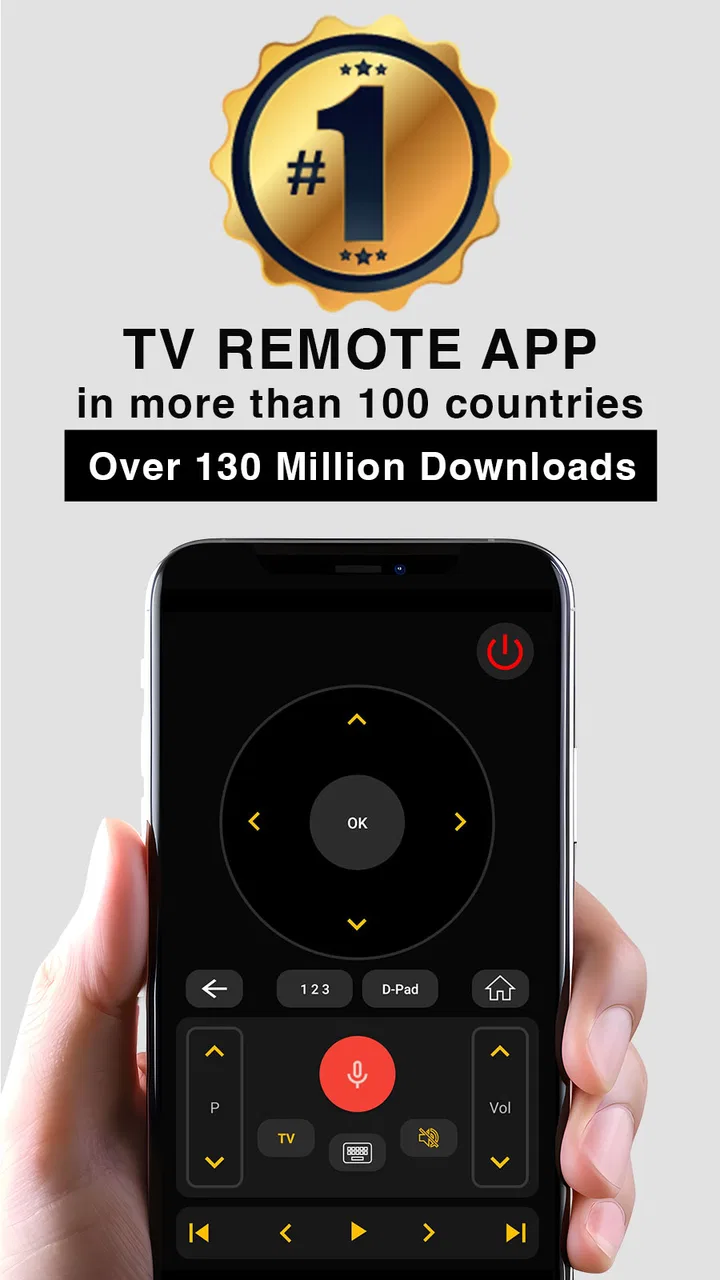
The biggest advantage is immediate access. A phone is usually within reach, and its screen can show controls that are difficult to identify on a dark physical remote. This is valuable for guests who do not know which button changes the source, for older family members who prefer larger labels, and for households where the original remote has been misplaced.
It can also reduce the number of physical controllers on a coffee table. If I regularly switch between the television’s built-in channels and an external streaming device, having a phone-based option means I can at least attempt to manage the television without collecting another replacement handset. That does not necessarily eliminate the need for the streaming device’s own remote, but it can simplify the basic television functions.
There is a useful workflow for shared spaces: keep the app installed on one designated household phone rather than asking every visitor to set it up. Before relying on it, test the TV from the usual viewing position and make sure the phone remains charged. This turns the app from an emergency download into a known backup. I would not depend on a remote app for a movie night without testing it first.
Touch controls can be both a strength and a weakness. They are easier to label and can expose functions that are hidden behind small physical buttons. However, they also make accidental taps possible, especially when the phone is unlocked in a pocket or handed to a child. I would lock the screen after use and avoid leaving the remote interface open when I am not actively controlling the TV.
Another subtle trade-off is phone availability. A physical remote remains dedicated to the television, while the phone may be needed for calls, navigation, two-factor authentication, or work. If someone else in the home needs the remote while I am using my phone, the app is less convenient than a cheap replacement handset. This is a good example of where the traditional alternative remains better.
How it compares with the usual alternatives
The original manufacturer remote is still the most dependable choice when it works. It has the right buttons, does not depend on phone battery life, and normally requires no network discovery. A replacement remote is also better for households that want a permanent, shared controller. Universal TV Remote Control wins when the original is missing, when I need a temporary solution, or when buying another physical remote would take longer than solving the problem with the phone already available.
Manufacturer-specific TV apps can be preferable when I own one brand and want deeper smart-TV navigation. They may be more focused on that television’s menus and connected features, while a universal tool is more useful across different sets. I would choose the brand-specific option when advanced television functions matter more than flexibility, and this app when I want one general-purpose starting point.
Streaming-device remotes are another separate category. A television remote app may handle power, volume, and source selection, but it should not automatically be treated as a replacement for every control belonging to a streaming stick, set-top box, or game console. If most of my viewing involves an external device, I would test the exact commands I need before putting the original controllers away.
Voice control can be faster for a few actions, but it depends on supported hardware, configuration, and a suitable listening environment. A phone remote is more private in the simple sense that I can tap a button without speaking aloud, and it is easier when the room is noisy. Physical controls remain preferable when I need speed without looking at a screen.
Who should use it and who should skip it
I think this app is a sensible choice for someone who wants a free backup, owns several televisions from different brands, has misplaced a remote, or wants to test phone control before buying replacement hardware. It is also worth trying on an older Android phone that is no longer used as a daily device, provided that the phone’s hardware and connection method match the television.
I would be more cautious if the television is essential for daily use and there is no spare physical remote. Compatibility can be affected by details that are not obvious until setup, so I would not discard the original controller before confirming every important function. People who dislike touch controls, promotional screens, or troubleshooting network connections may be happier with a dedicated replacement remote.
It is not the right fit for someone expecting the phone to control any television regardless of hardware. It may also be a poor choice in a home with strict network separation, where guest Wi-Fi prevents devices from discovering one another. In that situation, an infrared-capable phone or a physical remote may be the more dependable route.
The app’s age rating is Everyone, which makes its general household positioning clear, but that does not remove the need for adult supervision around purchases or device settings. If children use the phone as a remote, I would keep purchase confirmation protected and make sure they understand that tapping the screen can change channels, launch menus, or alter the volume unexpectedly.
My cautious verdict after weighing convenience and control
Universal TV Remote Control is useful because it addresses a familiar problem with equipment many people already carry. I like it most as a backup and as a quick way to regain basic control when the physical remote is unavailable. Its broad adoption, free starting price, and support for both smart and infrared television scenarios make it worth testing before spending money on replacement hardware.
My recommendation comes with a clear condition: test compatibility patiently and treat permissions and purchase screens as decisions rather than obstacles to skip. Keep the original remote until power, volume, input, and the functions you actually use have all worked reliably. That small precaution prevents the app from becoming a source of stress during an important viewing moment.
The current version is 3.3.0, and the app has been available since September 7, 2015, giving it a long presence in this category. Longevity and a large user base are reassuring context, but neither replaces a test with my own television. In my experience, the app makes the most sense when I value convenience over perfect tactile control and when I understand the difference between infrared operation and network-based smart-TV control.
My final advice is simple: install it as a tested backup, not as an automatic replacement for every remote in the house. If it connects cleanly and the controls I need respond consistently, it can be genuinely handy. If setup depends on a network arrangement I cannot maintain, or if I need a dedicated controller that anyone can grab without borrowing my phone, a physical or manufacturer-specific remote is the better choice.
FAQs for Universal TV Remote Control
01How does the Universal TV Remote Control app work?
The Universal TV Remote Control app functions by using your smartphone’s infrared (IR) blaster or Wi-Fi connection to communicate with your TV. It mimics the signals of a traditional remote control. If your device lacks an IR blaster, the app can connect via Wi-Fi to compatible smart TVs, allowing you to change channels, adjust volume, and access other features.
02Is my TV compatible with the Universal TV Remote Control app?
The app is designed to work with a wide range of TV brands and models, including Samsung, LG, Sony, and more. It supports both smart TVs and older models with IR capabilities. For smart TVs, ensure your TV and smartphone are connected to the same Wi-Fi network. Check the app’s compatibility list for specific models before downloading.
03Do I need an internet connection to use the app?
An internet connection is only necessary if you are using the app to control a smart TV via Wi-Fi. For TVs that use infrared signals, no internet connection is required. However, for initial setup and updates, an internet connection may be beneficial to ensure optimal performance and access to the latest features.
04How can I set up the Universal TV Remote Control app?
Setting up the app is straightforward. First, download and install the app from the App Store or Google Play. Open the app and select your TV brand from the list. Follow the on-screen instructions to pair your device, either through IR or Wi-Fi. Once paired, you can begin using the app to control your TV functions.
05Is the Universal TV Remote Control app free to use?
The app is available as a free download with basic functionality. However, some advanced features may require in-app purchases or a subscription. These features might include ad-free usage, support for additional devices, and enhanced connectivity options. Review the app’s pricing details to determine what works best for your needs.
Pros
- Wide compatibility with most TV brands.
- User-friendly interface and layout.
- Quick setup with step-by-step guide.
- No need for physical remote batteries.
- Supports multiple devices in one app.
Cons
- Contains occasional in-app ads.
- Requires stable Wi-Fi connection.
- Limited features in free version.
- Some brands may have delayed response.
- No voice command support available.

Universal TV Remote Control
Gallery